Know what's getting louder.
The trending themes view — see what is rising, what is new, what is shifting. Nightly cluster suggestions land with the evidence already attached.
47 signals · 4 channels
12 signals · 3 channels
23 signals · stable
A trending-signals view, not a feedback inbox.
Ranked synthesis pushed to your inbox each morning — before the trend becomes next quarter's churn report.
Themes ranked by volume, diversity, and velocity.
12 signals across 4 channels outranks 60 from one Slack room. A theme jumping 4 to 18 in a week outranks one stable at 60. The Hub ranks both correctly so the loud-versus-noisy question stops being a judgment call.
Nightly cluster suggestions surface emerging themes before critical mass.
The nightly clustering pass groups related signals into proposed features. Accept with one click and the cluster lands in Roadmap with the evidence attached. Themes get seen at a dozen signals, not a hundred.
Sentiment alerts when mood changes on a theme already in your roadmap.
A feature shipped last quarter starts losing favor — sentiment drops 18%. The Hub flags it. The team learns from the dashboard, not from the board meeting.
The Hub is where compounding becomes visible — every morning, in your inbox via the daily brief.
By the time it shows up in your roadmap, it is already a problem.
Customer feedback lives in 9 places. Trends emerge invisibly across them. By the time someone notices, you have churn, bad App Store reviews, and an angry exec asking why you did not catch this in March. The signal was there — 47 of them across 4 channels — just nobody had a view that ranked them by velocity and pushed the change to your inbox.
Four views. One source of truth.
Trending themes, ranked by velocity
Themes ranked by signal volume, channel diversity, and trend velocity — not by raw count. "Search frustration · 47 signals · 4 channels · ↑40% this month" surfaces above "Onboarding · 23 signals · stable." The list shows what is changing, not what is loud.
Nightly cluster suggestions
Each night the engine groups related signals into proposed features. Morning shows "Bulk export filters — 12 signals · 3 channels · NEW." Accept with one click and the cluster lands in Roadmap with the evidence and a starter RICE estimate already attached.
Raw signal feed, fully auditable
Every signal, every channel, every customer — filterable by date, account, business area, sentiment, channel, theme. The auditable layer behind every trend. Engineers and execs who want to verify a number can drill from a 40% rise to the 47 source quotes in three clicks.
Daily intelligence brief at 9 am
Pushed to your inbox at 9 am. "12 new signals overnight. Search complaints up 40% week-on-week. Bulk export theme: NEW." Read in under 90 seconds. Not buried in a dashboard you forget to open until something is already broken.
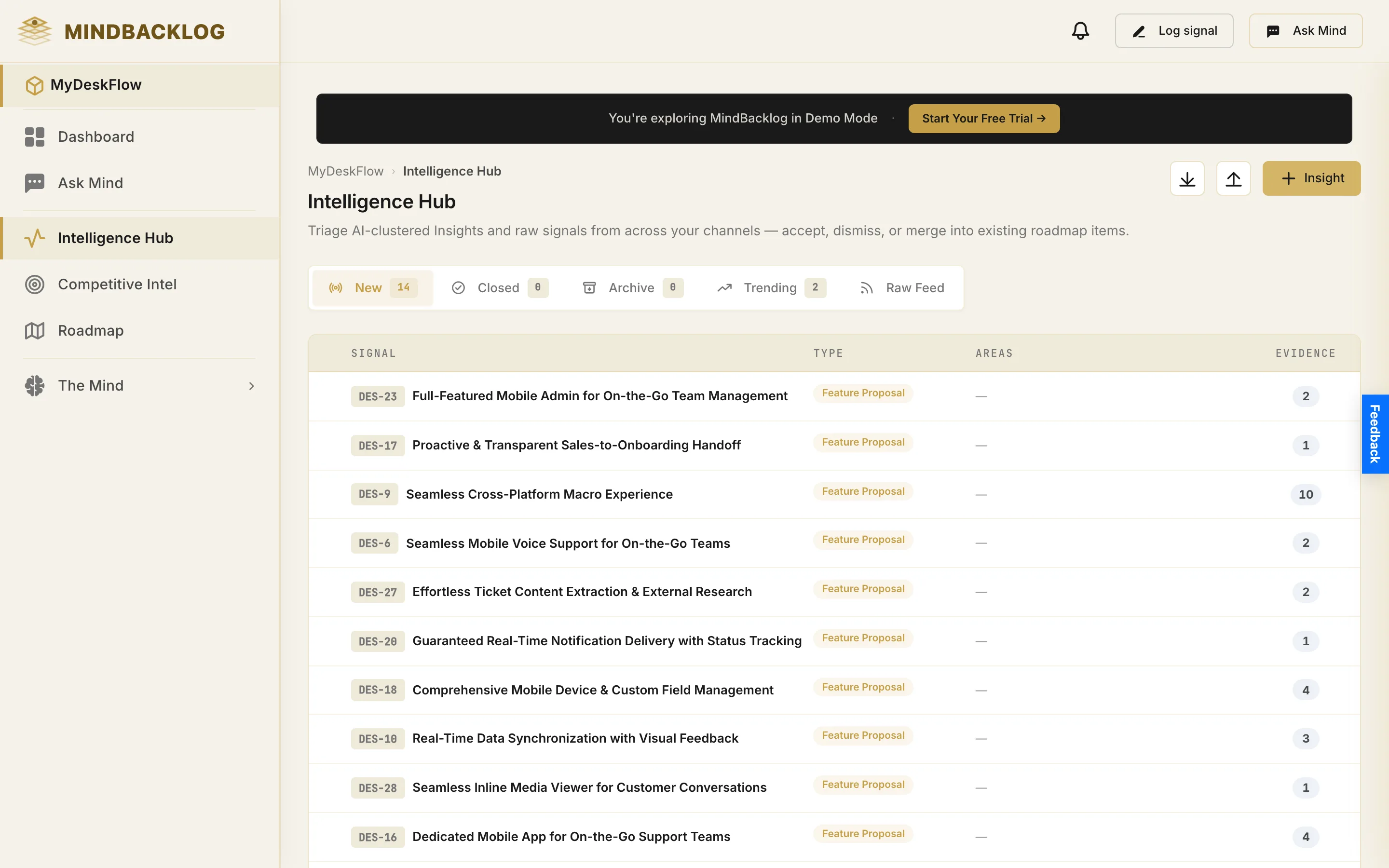
Four moments when the Hub earns its keep.
The Hub is what you actually open. The engine runs underneath. These are the moments the synthesis arrives before the question does.
Triage takes five minutes, not the morning.
The brief flags two movers; one click opens the Hub. Search frustration ↑40% on the 30-day window. Bulk export NEW at 12 signals across 3 channels. Pin one, mute a noisy theme, open the top cluster. Standup starts with the trend line, not a hunch.
A cluster suggestion lands ready to ship.
"Bulk export filters · 12 signals · 3 channels · NEW." One click — it lands in Roadmap with the evidence trail, a starter RICE score, and the 12 source signals linked. The synthesis that used to take 90 minutes of inbox-trawling happened overnight while you slept.
Support pings about "lots of complaints lately."
Open the Hub, filter signal feed by "support tickets, last 14 days, negative sentiment." 31 signals, 4 themes. Drill into the top one. Share the trend chart with support. "Lots of complaints lately" becomes "search frustration up 40% — already on the roadmap, ETA two sprints."
Weekly trend review with the CEO.
Pull the Hub on screen. "Three themes rising: search ↑40%, bulk export NEW, integration depth ↑18%. Two themes cooling: pricing complaints ↓22%, onboarding stable." The CEO leaves the meeting knowing exactly what shifted. The next quarterly review writes itself.
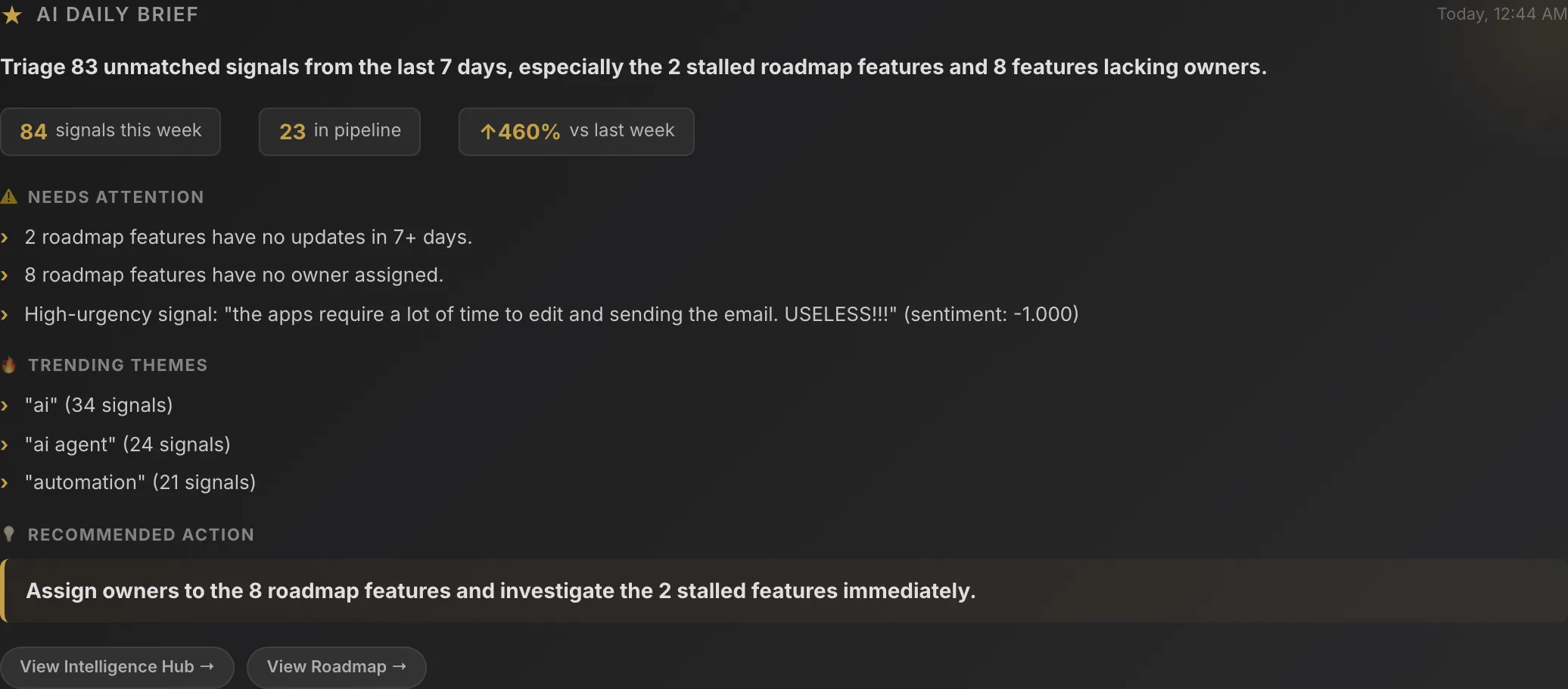
What flows in. What flows out.
The Hub is a window onto the engine. Signals flow in through the pipeline. Accepted clusters and trend insights flow out to Roadmap, PRDs, and your inbox.
MIND engine + signal pipeline
Signals enter from 9+ channels, get classified and sentiment-scored in under a second, land in the engine with full metadata. The Hub queries the engine's rolling 7/30/90 day windows live — every trend you see is the engine surfacing what it has been compounding.
See the MIND engine →Roadmap (accepted clusters)
Accept a nightly cluster suggestion and it lands in Roadmap with the 12 source signals linked, sentiment trend attached, and a starter RICE score the engine estimated from signal volume, channel diversity, and account weight.
See the Roadmap →Living PRDs & the daily brief
Every Living PRD pulls themes and trend velocity from the Hub. The daily brief at 9 am summarises the top three rising themes and any new theme over your volume threshold — both depend on the same trending graph.
See Living PRDs →The Hub is a live read of the engine's rolling windows.
Every theme, trend, and cluster suggestion comes straight off the MIND engine's rolling 7/30/90 day windows — volume, velocity, and sentiment weighted by the graph underneath. The read gets sharper with every signal the engine processes.
Questions PMs ask about the Intelligence Hub.
Other capabilities that share the same intelligence layer.
MIND Engine
The persistent intelligence layer underneath the Hub — signals, features, competitors, and themes connected into compounding context.
Read →Competitive Intelligence
The dedicated dashboard for competitor sentiment, signal feeds, and gap matrix — mined from public reviews and forums automatically.
Read →Ask Mind
Persistent side-panel co-pilot that reads the Hub and the engine — answers product questions in seconds with cited signals.
Read →