- Home
- Blog
- Technical Founders
- Claude Code best practices from the product side
Claude Code best practices from the product side
Claude reads your code well. It can't read your users. The habits that decide what Claude Code builds, before you write the first prompt.
On this page
The Claude Code best practices that matter most for founders happen before the first prompt. Give each session one problem, state the user and the why up front, write must-haves Claude can check, and note what already exists. Claude reads your code well. It can’t read your users, so the product side is the part you have to hand it.
- Claude can see your repo but not who your users are or why a feature matters. Tell it.
- Give each feature its own session, and clear the context between unrelated tasks.
- Write must-haves as checks that pass or fail, so Claude can verify its own work.
- Keep CLAUDE.md for what’s true on every task. Put each feature’s context in a spec.
Tell Claude what it can’t see: the user and the why
Anthropic’s own best practices for Claude Code start from one rule: write down only what Claude can’t find by reading the repo. For an engineering team, that means a deploy step that lives in someone’s head. For a founder, the biggest missing piece is the person the feature is for.
Claude fills that gap with a default user. The default user wants every option, every setting and a dashboard. Your real users usually want one job done faster. When the prompt names them and their problem, Claude makes better calls on the dozens of small decisions you never see.
Add CSV export to the invoices page.
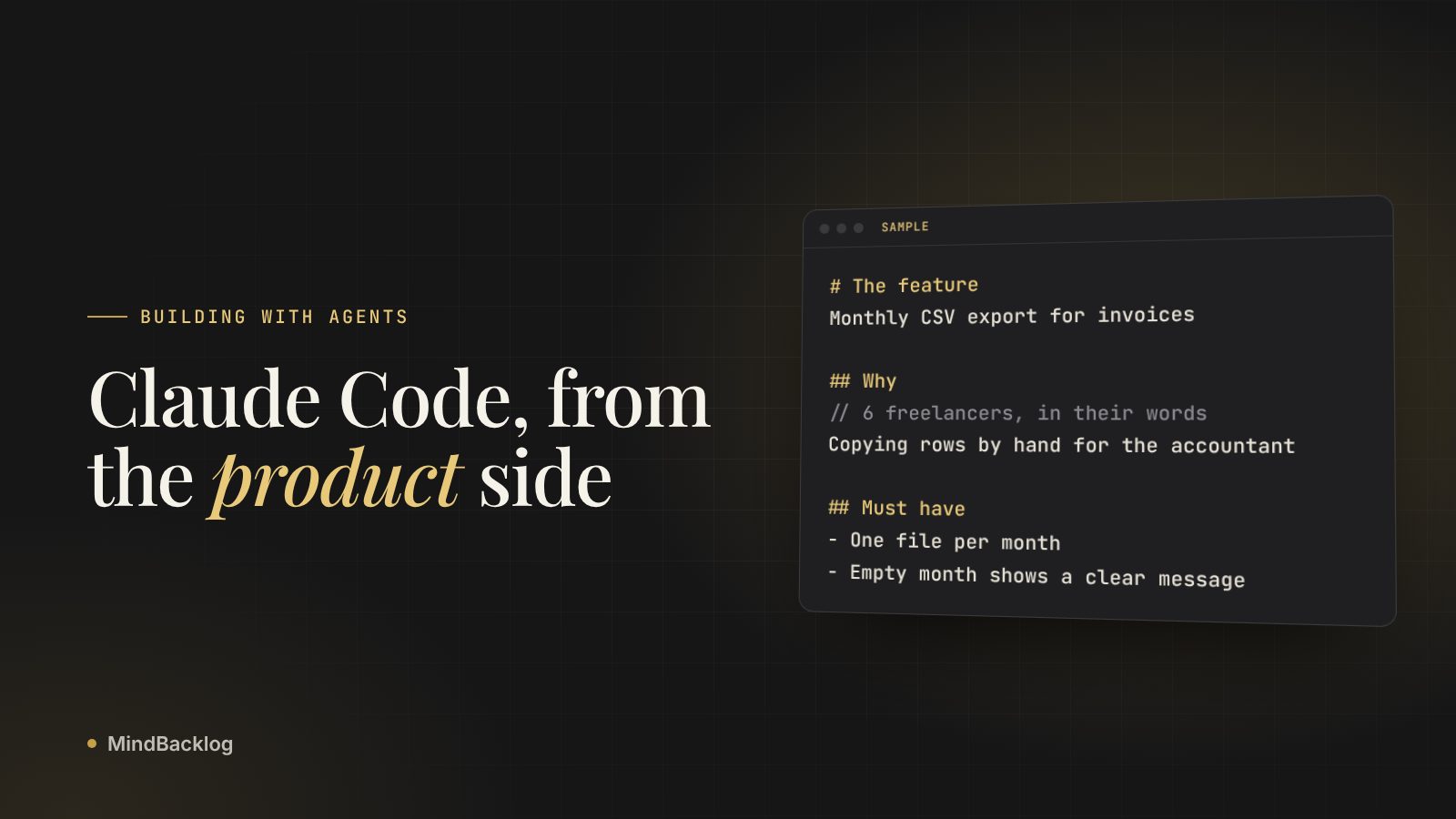
Freelancers with 5 to 20 clients send invoice data to their accountant at month end. Six of them told us they copy rows by hand. Add a monthly CSV export to the invoices page for that job, with the columns an accountant needs.
The second prompt changes what gets built. Claude now groups by month, picks accountant-friendly columns and puts the button where month-end work happens. You didn’t specify any of that. You told it who the work is for.
Give each feature its own session
A session that carries two features blends their decisions. The export work picks up assumptions from the settings page you discussed an hour ago. The docs recommend running /clear between unrelated tasks, and starting over with a better prompt after two failed corrections rather than adding a third.
When you aren’t sure what you want yet, let Claude interview you first. Ask it to keep asking questions until it could write the spec, save that to a file, then build from the file in a fresh session.
- Name one problem. Write it in one sentence, using your users’ words.
- Get interviewed if it’s fuzzy. Ask Claude to question you until it could write the spec, then save it as SPEC.md.
- Build in a fresh session. Point Claude at SPEC.md so the build starts with a clean context and a written definition of done.
- Clear before the next feature. Run
/clearso the next task doesn’t inherit this one’s history.
- The problemIn your users' words
- The specWhy, who, must-haves
- The buildFresh session
- The checkPass or fail, with output
Write must-haves Claude can check
Claude stops when the work looks done. If nothing tells it whether the work is done, you become the test suite. The fix is a must-have that comes back pass or fail: a test, a script, or a behaviour Claude can confirm in the browser.
| Vague must-have | Checkable version |
|---|---|
| Export should be easy | An Export button appears on the invoices page for any month with at least one invoice |
| Handle errors | A month with no invoices shows “Nothing to export” and downloads no file |
| Fast enough | A month with 500 invoices in the seed data exports in under 5 seconds |
| Accountant-friendly | Columns are date, client, invoice number, net, tax, total, in that order |
Then ask for evidence, not a summary. “All tests pass” tells you little. The command Claude ran and its output tells you a lot, and it’s faster to read than to rerun. For more on writing a spec this way, see spec-driven development for founders.
Say what already exists and what’s already broken
Coding agents rebuild things that are already there and re-break things you fixed last week. Both happen because nobody said what’s nearby. Two short lists in the prompt prevent most of it.
For the invoice export, an illustrative note might read: Exists: the invoice table component and the month filter on /invoices; reuse both. Broken: totals round wrong for currencies with no decimal places (open issue). Don’t touch the billing webhook in this session.
The “don’t touch” line matters more than it looks. It turns a vague worry into a boundary Claude can respect. If a rule truly has no exceptions, such as never editing the migrations folder, the docs suggest enforcing it with a hook instead of a sentence.
Keep CLAUDE.md short and the feature context in a spec
Claude Code loads CLAUDE.md into every session, so every line costs a little attention on every task. Keep it for what’s true everywhere: who the product is for in one line, what’s out of scope, and the command that proves work is done. Each feature’s why, metric and must-haves belong in that feature’s spec, which the session reads only when it needs it.
# Product
Invoicing for freelancers with 5 to 20 clients.
Most use it on a laptop at month end.

# Out of scope
Payroll, tax filing, multi-currency ledgers.

# Done means
npm test passes and npm run lint is clean.
Note. If you keep adding emphasis to a CLAUDE.md line and Claude still misses it, the file is probably too long or the line is a hard rule that belongs in configuration.
Check the prompt before you send it
Run through this list once per feature. It takes two minutes and saves the session you would otherwise spend correcting.
- The problem in one sentence, in your users’ words
- Who has it, and how many people mentioned it
- Three to six must-haves that pass or fail
- What already exists and what’s broken nearby
- The command Claude should run to prove it’s done
- What’s out of scope for this session
Founders who build with an agent every day tend to keep this as a template. The page for founders building with Claude Code or Cursor shows how the same list scales past a handful of features.
See what a coding agent receives. A sample Build Pack for a made-up product, with every section’s source.
See a sample Build PackDoing this in MindBacklog
MindBacklog keeps what your users said, ranks the problems they have, and hands your coding agent the why. For each feature, the Build Pack carries why it matters, who it’s for, the metric, and the must-haves with acceptance criteria, and every section names its source. It also says what’s already broken and what already exists. Copy it for Claude Code or Cursor, or let your agent pull it over MCP on the Growth and Scale plans. How the Build Pack works.
Questions
What are the most important Claude Code best practices?
Tell Claude what it can’t see, give it a check it can run, and keep each session to one task. For founders, “what it can’t see” is mostly the user and the reason for the feature. Those three habits prevent most rework.
Should product context go in CLAUDE.md or in a spec?
Both, at different levels. CLAUDE.md holds what’s true on every task, such as who the product is for and what’s out of scope. A spec holds one feature’s why, metric and must-haves, so it doesn’t weigh on unrelated work.
How long should a CLAUDE.md file be?
Anthropic’s memory docs suggest staying under 200 lines per CLAUDE.md file, because longer files cost context and reduce how well Claude follows them. Include only what Claude couldn’t work out from the code. Rules for one part of the codebase can move into path-scoped rules.