Product managers live in a world of qualitative data. Customers say ‘this is frustrating.’ Support agents report that ‘a lot of people are having trouble with this.’ Sales reps describe ‘a deal-breaking issue.’ These descriptions convey real information — there is genuine customer pain behind each one — but they are impossible to compare, rank, or track over time in their qualitative form. How frustrated is ‘frustrating’? How many is ‘a lot’? How deal-breaking is ‘deal-breaking’?
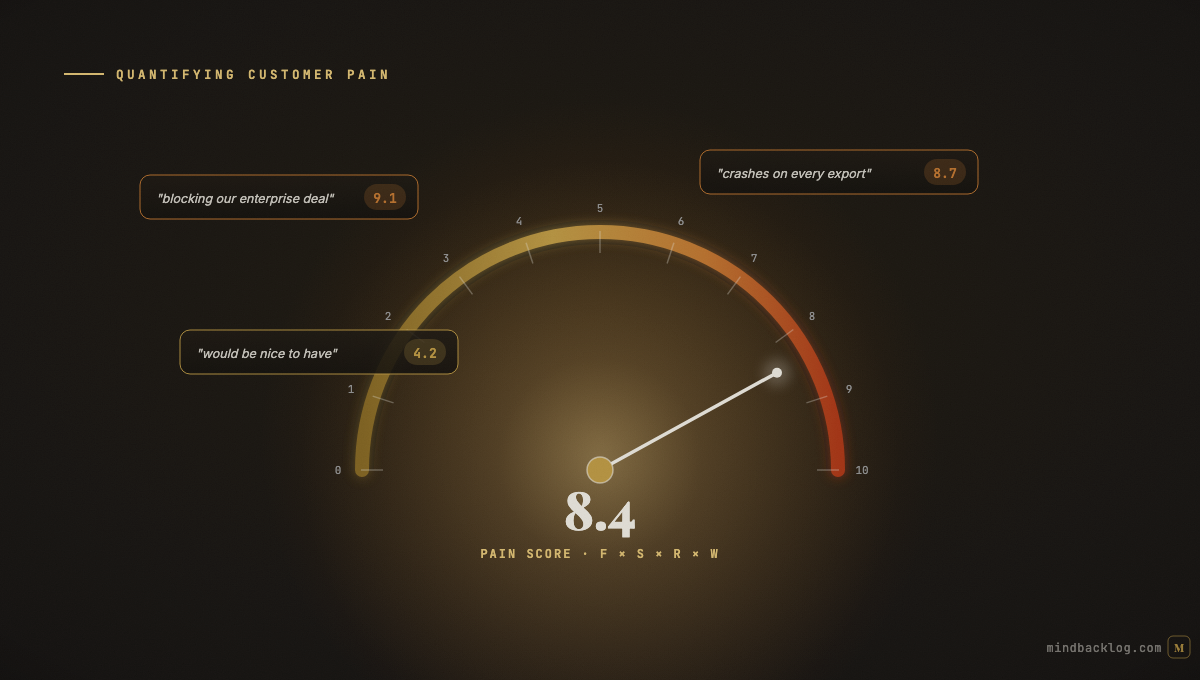
Quantifying customer pain — converting qualitative feedback into numerical scores that can be compared, aggregated, and tracked — is the bridge between ‘customers are unhappy about search’ and ‘search pain scores a 7.3 out of 10, up from 5.8 last quarter, driven primarily by enterprise accounts.’ The first statement is a conversation starter. The second is a prioritization input.
The Three Components of a Pain Score
A useful pain score combines three dimensions: severity (how painful the problem is for each affected customer), frequency (how often the problem is reported), and value weight (how important the affected customers are to the business).
Severity can be assessed from the language of customer feedback. AI sentiment analysis provides a starting point — strongly negative language scores higher on the severity scale. But severity also depends on the nature of the problem. A missing feature that blocks a core workflow is more severe than a cosmetic issue that is visually distracting. A data loss bug is more severe than a slow-loading page. The severity scoring should reflect these qualitative distinctions.
A practical severity scale runs from 1 to 5: 1 is a cosmetic or preference issue, 2 is an inconvenience that has a workaround, 3 is a meaningful productivity impact, 4 is a workflow blocker with no reasonable workaround, and 5 is a business-critical issue causing data loss, security risk, or contract-threatening impact.
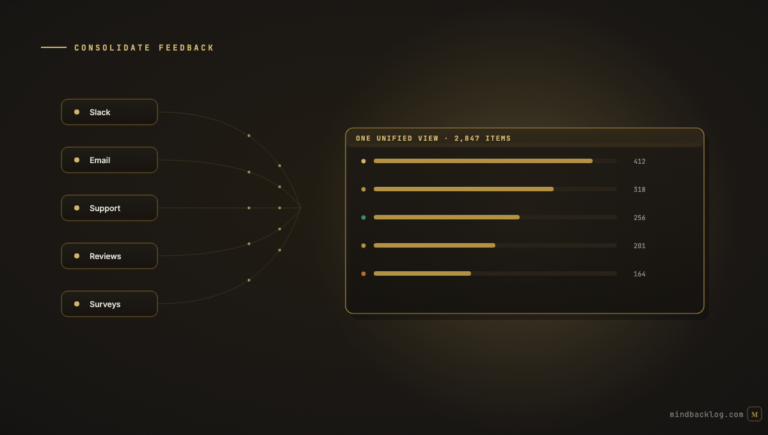
Frequency is the simplest dimension — how many unique customers or signals have reported this pain. Raw count is a starting point, but cross-channel deduplication is essential to avoid double-counting. Semantic deduplication ensures that fifty signals describing the same pain in different words are counted correctly as fifty data points supporting one feature idea, not fifty separate ideas.
Value weight adjusts the score based on the business importance of the affected customers. Three signals from enterprise accounts representing $500K in ARR carry more weight in prioritization than thirty signals from free-tier users. The weighting can be based on account tier, contract value, strategic importance, or any other business-relevant dimension.
Building the Pain Index
The Pain Index combines the three dimensions into a single score that enables direct comparison across feature areas and over time. The formula is: Pain Index = (Average Severity × Signal Count × Value Weight Factor). The value weight factor can be a simple multiplier (enterprise signals count as 3x, growth signals as 2x, free tier as 1x) or a more sophisticated calculation based on actual revenue at risk.
The Pain Index is most useful when tracked over time. A rising index indicates a problem that is getting worse — either more customers are affected, the severity is increasing, or higher-value customers are experiencing the pain. A declining index after a feature ships indicates that the investment addressed the problem. A persistently high index despite a feature ship indicates that the solution did not adequately address the underlying pain.
How AI Automates Pain Scoring
Manually scoring the severity of every piece of customer feedback is impractical at scale. AI automates this through sentiment analysis and language pattern detection. Feedback containing urgency language (‘need this immediately,’ ‘blocking our work’), churn language (‘considering alternatives,’ ‘evaluating competitors’), or severity language (‘data loss,’ ‘security concern,’ ‘compliance risk’) receives higher severity scores automatically.
The AI scoring is calibrated by the PM’s corrections. When the PM overrides the AI’s severity assessment — upgrading a score because the context warrants it, or downgrading because the language was stronger than the actual impact — the system learns from the correction. Over time, the AI’s severity assessments become increasingly aligned with the PM’s judgment, reducing the need for manual overrides.
The cross-channel deduplication and signal consolidation that AI handles also improves the frequency dimension. When fifty signals about the same pain are correctly linked to a single feature idea, the frequency is accurately represented. Without deduplication, those fifty signals might be scattered across multiple backlog entries, understating the true frequency of the pain.
Using Pain Scores in Prioritization
Pain scores integrate naturally into any prioritization framework. In RICE, the Pain Index maps to the Impact dimension — higher pain means higher impact on customer satisfaction and retention. In WSJF, pain severity maps to Business Value, and the urgency of pain-related language maps to Time Criticality. In custom scoring frameworks, Pain Index can be a standalone dimension alongside strategic alignment, competitive urgency, and effort.
The most powerful use of pain scores is in comparative analysis. When the PM can see that ‘User Search’ has a Pain Index of 7.3 while ‘Report Customization’ has a Pain Index of 4.1, the prioritization conversation starts from a shared quantitative foundation rather than competing anecdotes. The numbers do not make the decision — the PM’s judgment still matters — but they ensure the decision is informed by comprehensive, comparable data.
|
MindBacklog quantifies customer pain automatically — sentiment scoring, signal consolidation, and evidence-based priority scores across your entire backlog. Turn feelings into numbers. Turn numbers into better decisions. Start at mindbacklog.com. |
Ready to put your product intelligence on autopilot? Start your 14-day free trial at MindBacklog.com — no credit card required.